

Purchase IdenTrust IGC Basic Assurance

Last updated: Apr 21, 2026
262
views

Hello! This article will guide you through purchasing an IdenTrust certificate, which allows you to verify your identity with a digital signature on email and other platforms.
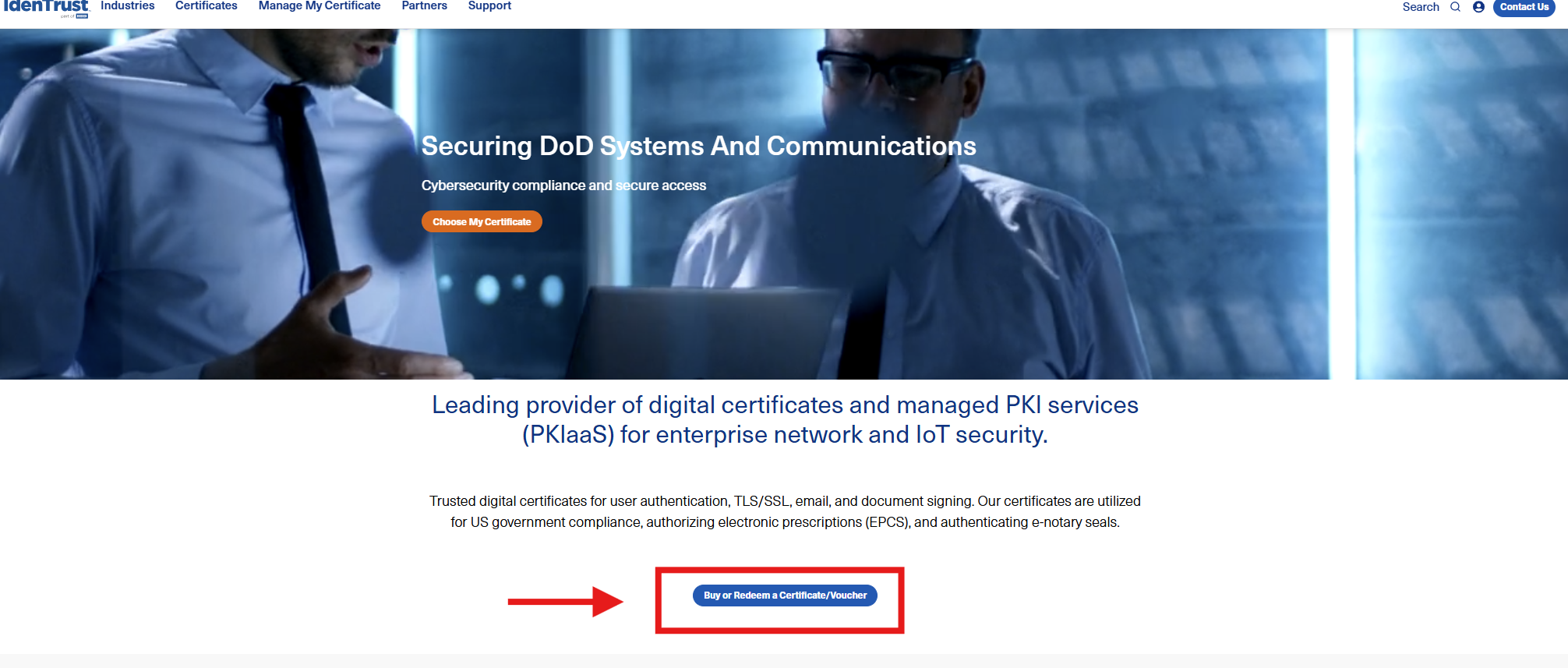
- Navigate to the Digital Signing & Sealing | IdenTrust site and select "Buy or Redeem a Certificate/Voucher".
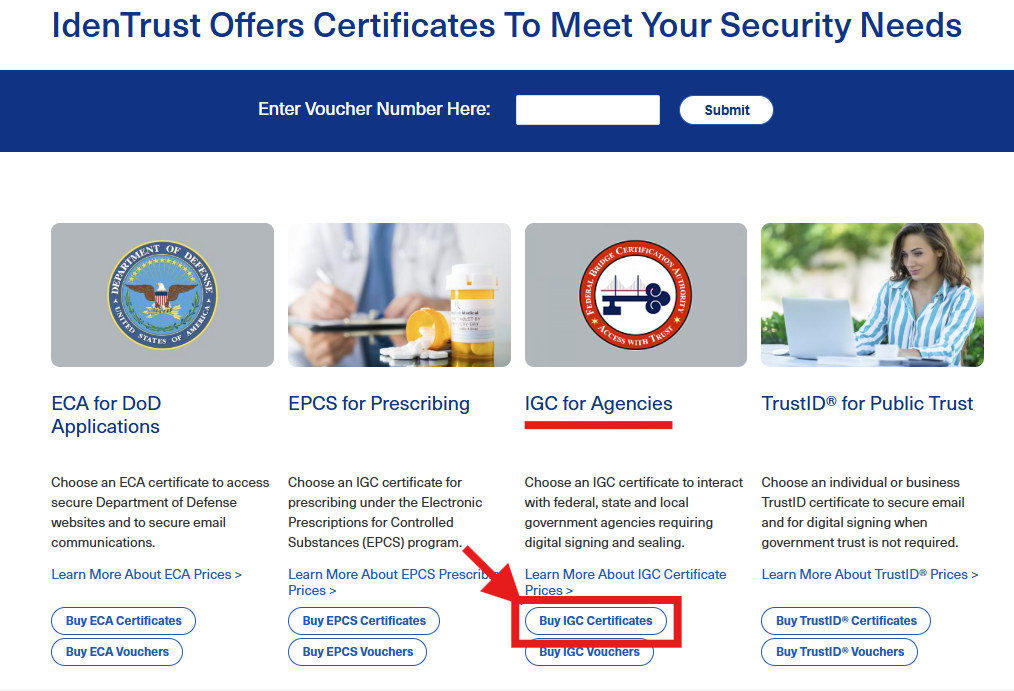
- Select "Buy IGC Certificates" under IGC for Agencies.
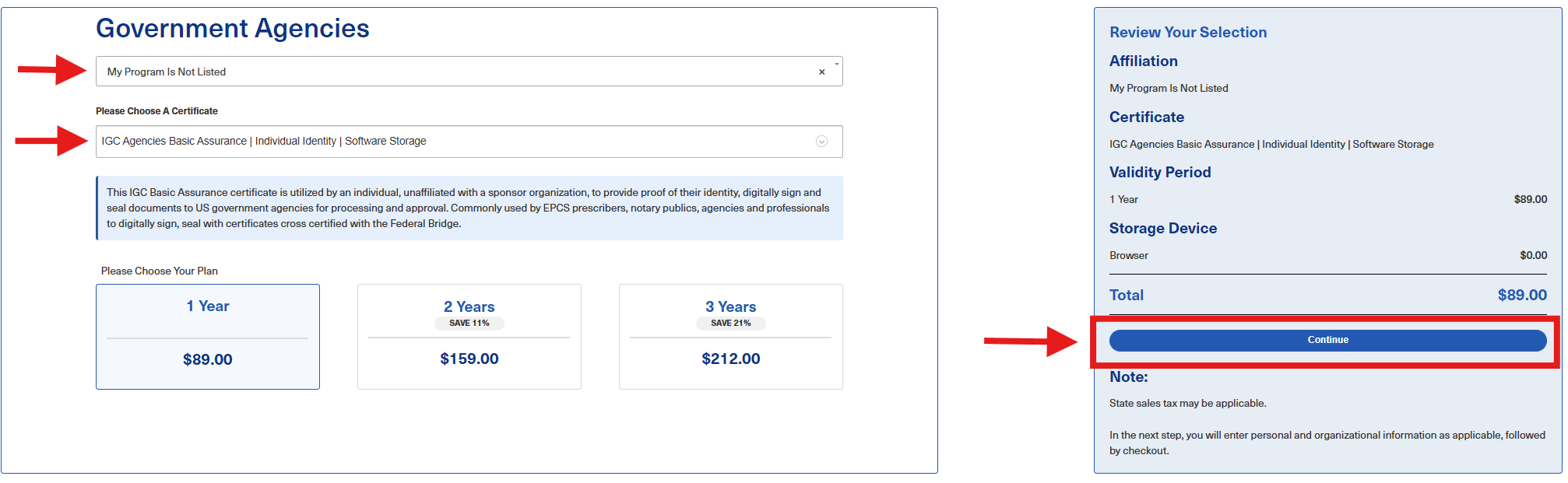
- In the drop downs, select "My Program Is Not Listed" and "IGC Agencies Basics Assurance | Individual Identity | Software Storage". Recommended to select 1 Year, but your preference if you want to select 2 or 3. Then click Continue.
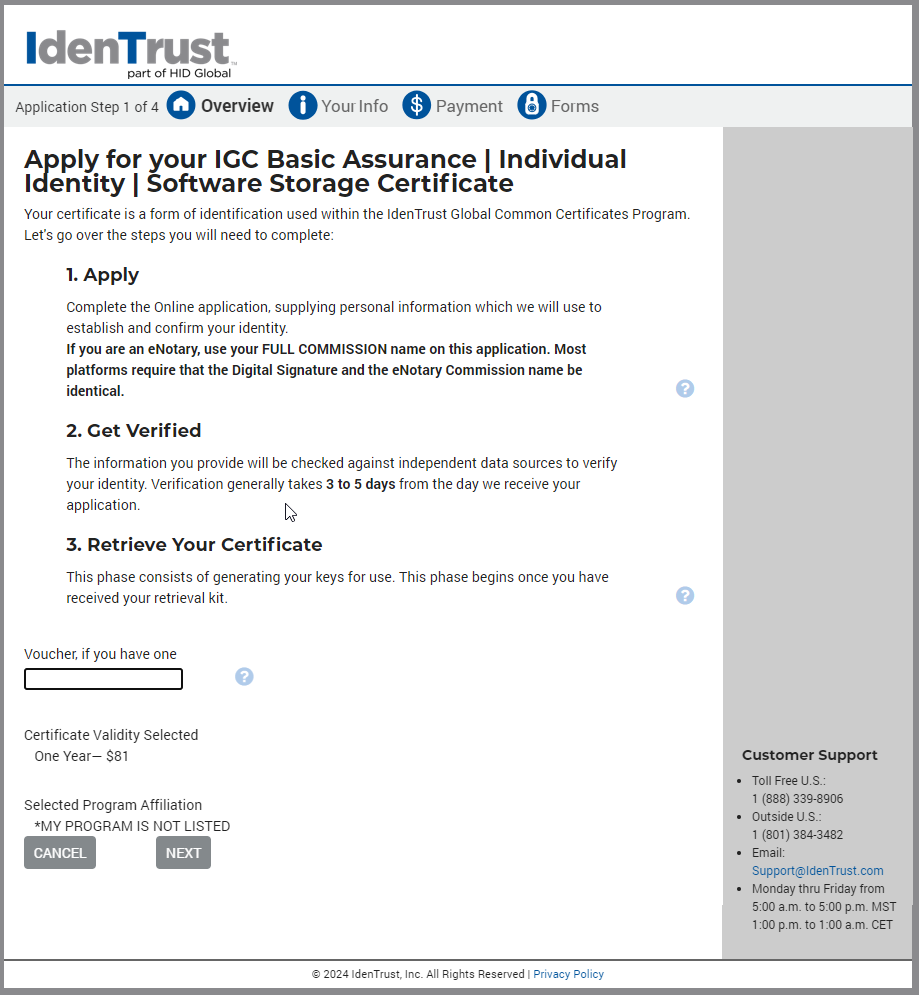
- You'll get this pop-up window next. Select Continue.

- You will be directed to a form, which you should progress through and provide your personal information.
- When prompted for payment information, enter your personal credit or debit card information. Be sure to take a screenshot of the payment confirmation page so you can submit the expense for reimbursement.
- Once the form is completed, select Submit Application. The application may take up to 5 days for approval after which you will receive your certificate information through email.

