Save & Load a PowerPoint Template

Last updated: Jun 09, 2024
48
views

Hello, this article will walk you through saving a custom PowerPoint template and applying it to a new presentation.
Save a Template
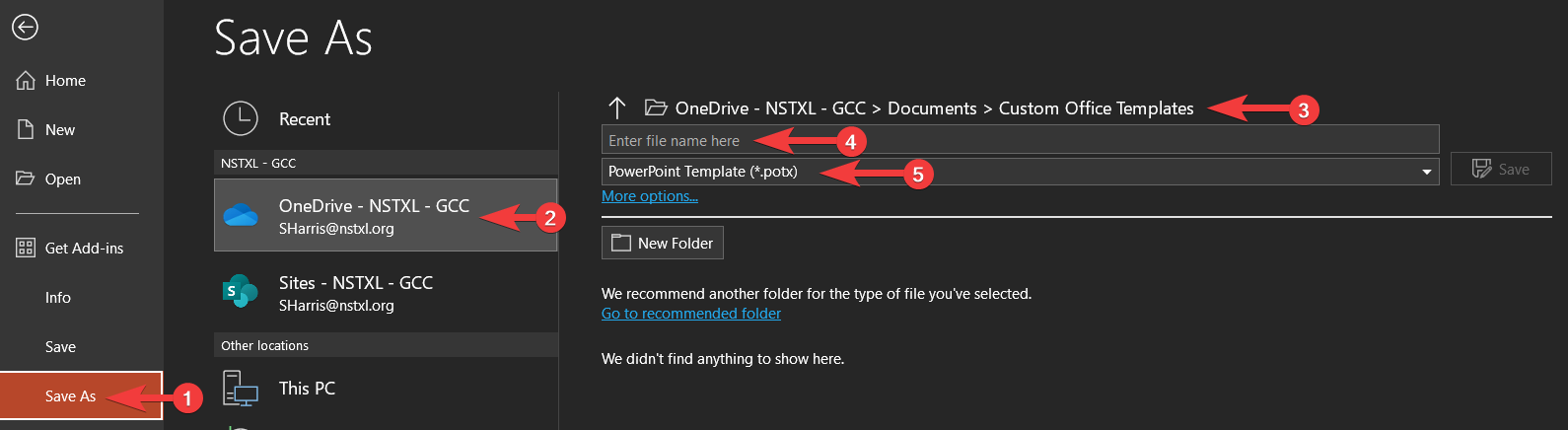
- After crafting your slide design, select File → Save As.
- Select your OneDrive account.
- Select the folder Documents/Custom Office Templates/
- Give your template name.
- Select the file type PowerPoint Template (*.potx).
- Click Save.
Load a Template
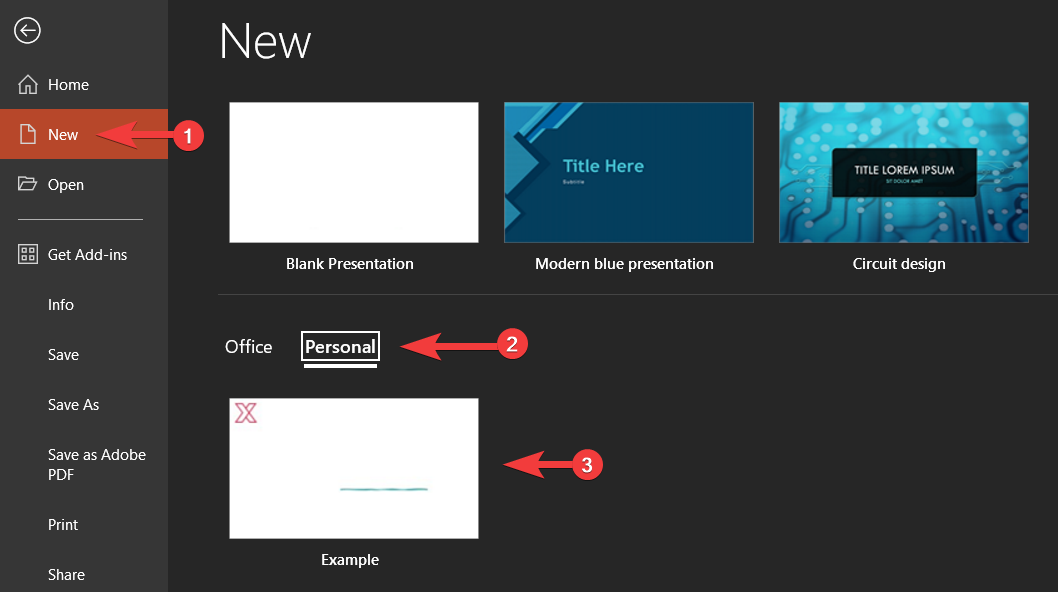
- Select File → New.
- Select the Personal tab.
- Select the template you wish to load and click Create.